About a year ago, I was testing my first Pimax headset, the Crystal model. That attempt to make everything work through a single headset left me with mixed feelings. Its image quality was very good, but it was terribly uncomfortable due to the weight of the batteries and the casing.
Pimax quickly realized there were areas for improvement and launched the product we’re covering today: the Pimax Crystal Light. This virtual reality headset focuses directly on fixing those issues, leaning more toward direct PC connection and avoiding the extra battery weight.
Packaging
Increasingly efficient, focusing on reusing part of the production. Many models share the same external characteristics, so Pimax leverages this to avoid changing the shapes too much.
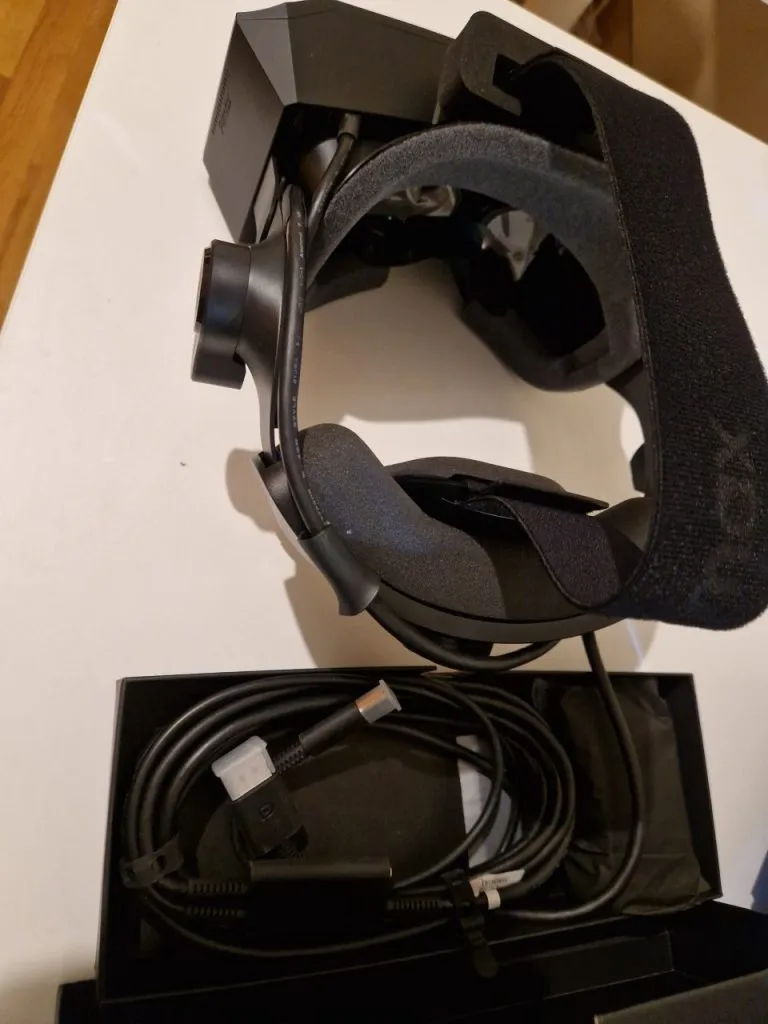
Everything is well protected, and the package isn’t too large or heavy. Nothing is missing, and nothing is extra; it’s spot on.
External features
As on other occasions, the plastic doesn’t seem the most resistant, but it’s not something I’d worry about too much, since the HMD is a delicate device that shouldn’t be hit or mishandled anyway.


From the outside, they could be confused with the Crystal, but they’re a lighter version. We lose the batteries to reduce weight (more than 400g) and neck strain during long sessions, but we still have a large casing that makes everything feel bulky.
It’s not only uncomfortable to move around with (you can easily bump into things you can’t see), but it also adds unnecessary weight and complicates tasks. The button access isn’t the best either; the interpupillary distance adjustment wheel doesn’t feel good to the touch and only works when it wants to. The volume buttons don’t always respond correctly. It is a big improvement area.
Specs
- PCVR
- Resolution: 2880 X 2880 Per Eye
- 35 PPD
- Display: QLED + Mini-LED, Local Dimming (Optional)
- Refresh Rates: 60, 72, 90, 120 Hz
- FOV: 105° (H)
- Lenses Material: Glass
- Lenses Type: Aspheric
- Tracking Mode: 6DoF Inside-Out Tracking
- IPD: 58–72mm Manual
- Foveated Rendering: Fixed 2.0
- Lighthouse Faceplate Compatibility: Yes
- Eye Tracking: None
- Weight: 815g (Headset)
- Audio: Integrated Audio, 3.5mm Jack, 2x Microphones
- DMAS Compatibility: Yes
Having focused completely on features, this should’ve been something noteworthy after years in VR. This PCVR headset should be either more capable or a bit cheaper. The lack of competition has helped Pimax carve out a niche in the market, even without a groundbreaking product.
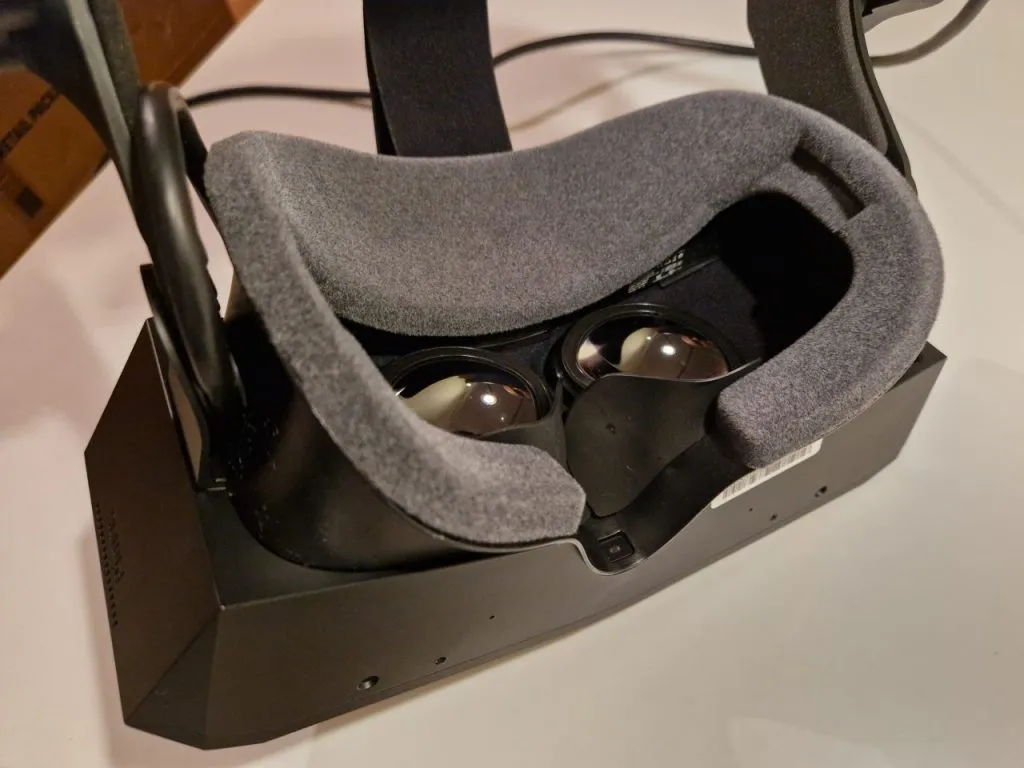
Image quality is good, theoretically the same as the Crystal, but it lacks eye tracking, which wouldn’t be unreasonable to include at this price. The withdrawal of several companies from the VR scene has allowed Pimax to avoid competing against stronger options and given them room to relax a bit.


Both the audio and tracking are adequate. The weight, for an HMD with these specs, feels excessive. The horizontal FOV remains quite limited, and per-eye resolution seems slightly stagnant.
Using them
Unlike other software packages, the Pimax Play installer feels like a collection of modules loosely tied together. It might just be my perception, as it does appear to function normally and better than the last year. I could switch runtimes to OpenXR and adjust smaller settings with no problems.


I’d like to say they’re perfect and fit like a glove, but as with the Crystal, the face shape simply doesn’t fit me well. It seems made for wider faces, which prevents a good side seal and distorts the picture on the sides.
The weight being concentrated on the front, combined with a form designed not to be lifted visor-style, makes it impossible to use for quick monitor tasks. It’s quite uncomfortable; you have to remove the HMD entirely and readjust every time to find the sweet spot and feel comfortable.


Once adjusted, there are no heat issues. The audio works well, and the image quality is excellent. As I always say, they deliver what makes VR worth it: a deep, realistic sense of immersion you simply can’t get from monitors. The difference is massive in surface measurement, spatial awareness, and other track-related elements.
Performance
I’ve tested the headset using an RTX 3090 and haven’t had any performance issues so far. I’ve limited myself to 90 FPS and enabled Foveated MVP in iRacing through OpenXR. Everything has performed as expected; the headset kept image consistency, tracking remained stable during long sessions, and the sound was clear and crisp.
Keep in mind that if you enable Quad Views rendering in a game, you don’t need it active in Pimax’s software. The software allows global toggles for these features, as well as performance stabilizers like Smart Smoothing in more demanding scenarios. For example, you can lower FPS to 72 or raise them to 120, enable Quad Views, Smart Smoothing, etc.
In general, and if Pimax allows me, I’ll keep using them in the sims I can. Despite their minor drawbacks, the immersion they bring to sim racing is such a huge positive that it’s hard to overlook.
Conclusions
We’re living through uncertain times, with desktop PC components growing ever more expensive and less accessible. Market innovation has slowed drastically due to the AI industry boom, and prospects for essential hardware aren’t encouraging. This affects Pimax, which depends on powerful GPUs and memory to sustain a strong gaming market and keep innovating. We’ll see how their new products fare once released.


With the Crystal Light, you can feel the passage of time. It’s no longer a new product, but it’s still more than enough to experience the thrill of competition very realistically. Its main flaws are in the face and housing design, but everything else is functional and practical. We’ll see if the new Dream lineup, with a revamped design and lighter build, can secure a spot in the same price range as the Crystal Light.
You can purchase it on Pimax’s official store using our discount code ().
This website uses affiliate links which may earn a commission at no additional cost to you.